Invite members in a Space
Last updated 15 days ago
Prerequisite: you are the Space owner (you created it, or ownership was transferred to you).
Open the relevant Space.
Click Share (top-right of the Space details page).
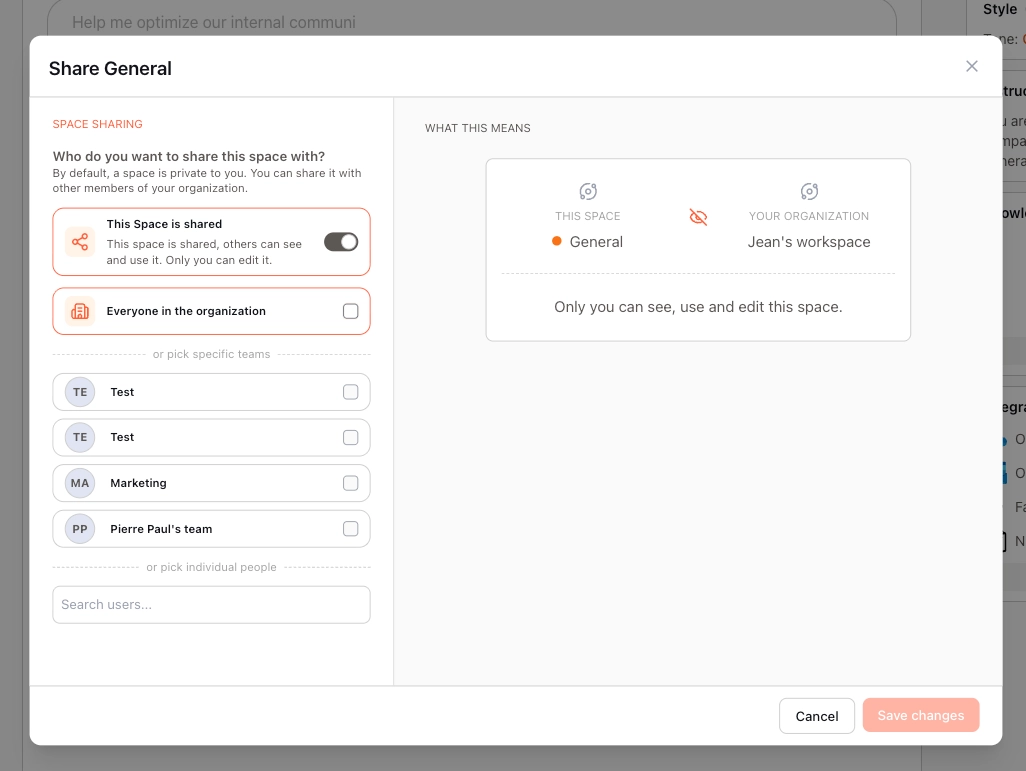
This opens the sharing window on top of your screen.
Choose how you want to share:
Share with the entire organization
Share with an entire team
Share with individual users (type their name)
(Optional) Combine options.
For example, you can share with a team and additionally add a few specific users.
Review access in the summary on the right.
Your sharing settings are displayed to give you an overview of current access.
A discussion within a Space is never shared with all members of that Space.