How to add files to Space Knowledge?
Adding files as knowledge in a Space makes it able to analyse and use it to generate new things.
Last updated About 4 hours ago
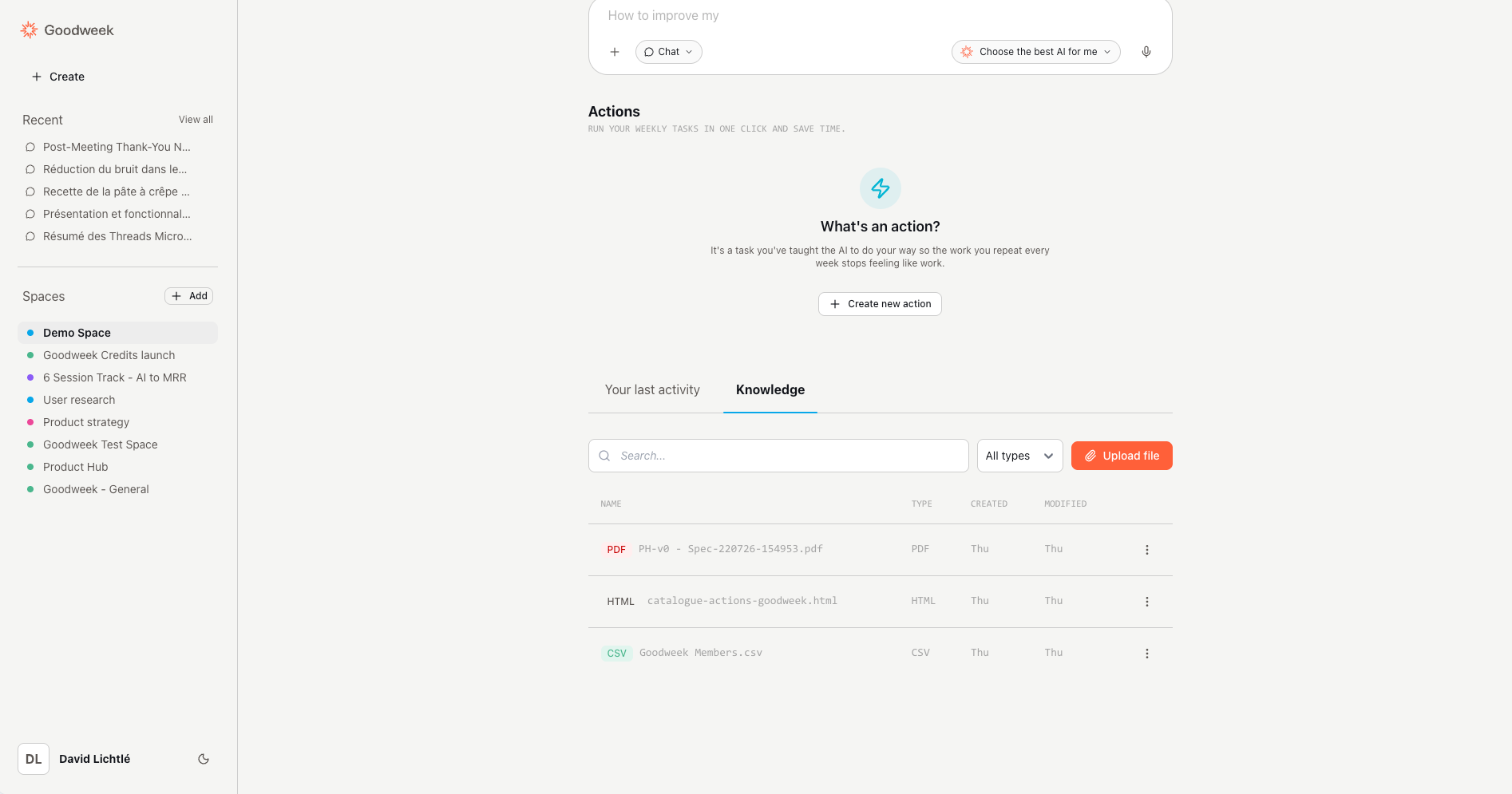
Objective: add a file to a Space’s knowledge base.
Prerequisite: you have access to the relevant Space.
Open the Space you want to add a file to.
Go to the Space details page.
At the bottom of the page, click the Knowledge tab (next to Your last activity).
Click Upload file.
Select the file from your computer, then confirm the upload.
ℹ️ If you don’t see the “Upload file” button
Make sure you’re on the Space details page and that you are the Space owner.