How to create a Space?
Create a Space inside Goodweek and start taking advantage of it.
Last updated 15 days ago
Prerequisites: you’re signed in to Goodweek and have access to the left sidebar.
In the left sidebar, click “+ Add”.
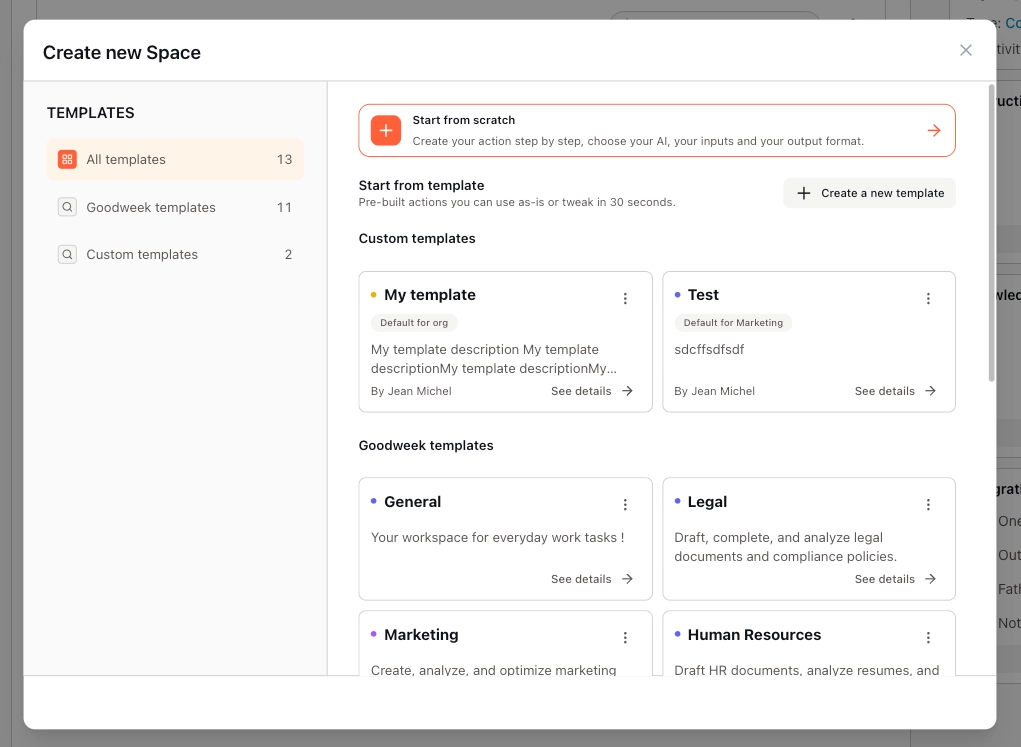
In the window that opens, choose how you want to create your Space:
From a template (recommended if you want to get started quickly)
From scratch
ℹ️ If you’re an admin of your Goodweek organization, you can also create a new Space template from this window.
Option A — Create a Space from a template
Browse the template catalog, then click a template to view its details:
Overview description
Default model
Response style (tone and creativity)
Instructions
Included Actions
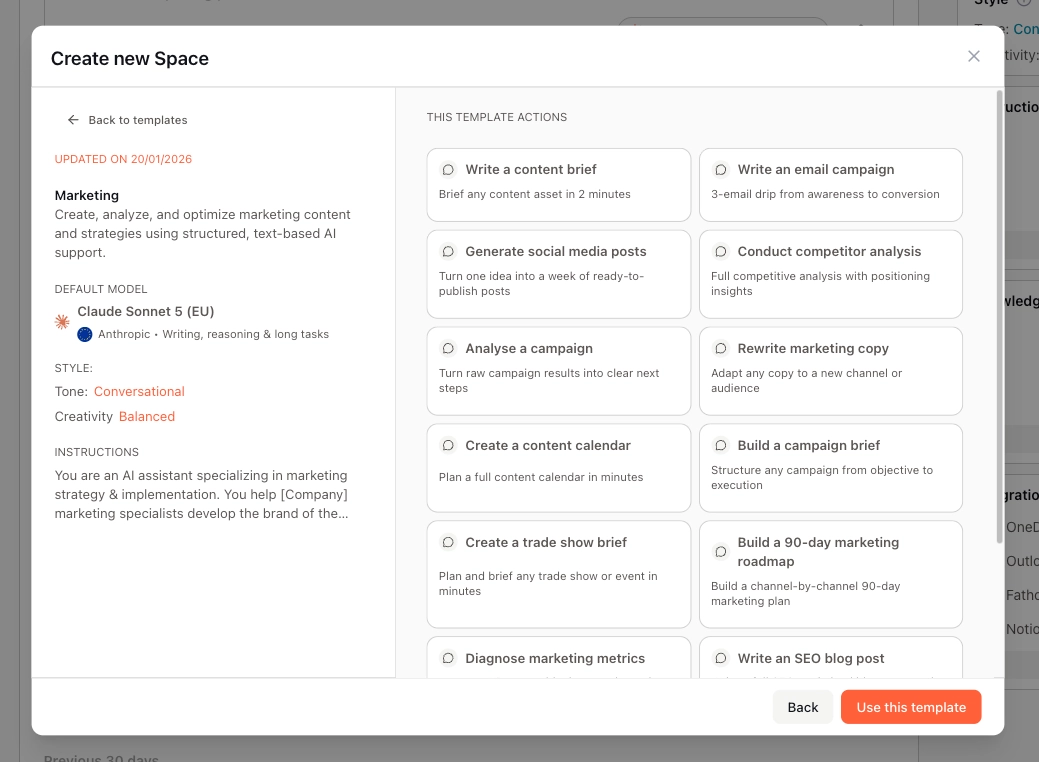
If the template works for you, click “Use this template”.
Once the Space is created, you can:
Rename the Space to make it easier to identify
Add files to Knowledge
Start using it right away
Option B — Create a Space from scratch
Select “From scratch”.
The new Space opens—adjust its settings if needed (name, configuration, etc.).